How to Start With AI When You're Not Technical

Somewhere between the tenth YouTube video and the third newsletter, most people quietly give up on learning AI. Not because it is hard, but because everyone is selling a different starting point: this course, that tool, this newsletter, that certification. The information is not scarce. Trust is.
So let me say the quiet part first. AI is probably not going to take your job the way the headlines describe. The realistic risk is smaller and closer: the person in your field who answers a proposal in an hour while you take a week, because they have a tireless assistant and you have a browser full of tabs about one. You will not be replaced by AI. You are more likely to be outpaced by someone who drives it well.
That word, drives, is the whole plan. Treat AI like a car. You need to learn to drive it, you need enough maintenance sense to keep it safe, and you need to know roughly what happens under the hood so that no mechanic can invent a $900 problem for you. What you do not need is to become the person who builds engines. Nobody asks that of drivers, and nobody should be asking it of you.
This post is the driving school: a short, ordered path through the basics of how software and AI actually work, using only sources you can trust, almost all of them free.
What “learning AI” actually means
Three layers, in order of how much they change your life:
Driving is using an assistant on your real work, daily. This is the only layer that pays, and it is where most advice-following people never arrive because they are still comparing courses.
Maintenance is the small set of habits that keep the machine safe: checking its work before it leaves your desk, knowing what never to paste into it, knowing what questions to ask a tool before trusting it.
Under the hood is a working vocabulary and one honest mental model of what the machine is. You need this for exactly one reason: so that sales pitches, job-market panic, and jargon lose their power over you. A person who knows what a “context window” is cannot be oversold by someone waving the term around.
Key Insight
The money rule
Nearly everything worth learning at this stage is free, published by Harvard, the University of Helsinki, Mozilla, GitHub, and the AI companies themselves. Treat any “master AI in a weekend” offer with a three-figure price as a signal to close the tab. It is almost always the free material below, repackaged with urgency.
Stage one: see the machine
It seems strange to start with websites instead of AI, so here is the reason. Almost everything an AI assistant produces for you is a software thing: a page, a document, a small tool, a folder of files. If those things are fog to you, everything the AI does looks like magic, and you cannot check or steer magic. One evening of orientation turns the fog into parts with names.
Four names do most of the work:
- HTML is the structure of a page: the headings, paragraphs, and buttons. The walls and rooms.
- CSS is the appearance: colors, fonts, spacing. The paint and the furniture.
- JavaScript is the behavior: what happens when you click, type, or scroll. The wiring.
- Git is the safety net: a running history of every change to a set of files, so nothing is ever lost and any version can be brought back. It is how all software teams work without overwriting each other.
Where to learn this, in order:
- How the web works by MDN (Mozilla, the foundation behind Firefox). Twenty minutes, plain language, and you will know what actually happens between typing an address and seeing a page.
- CS50’s Understanding Technology from Harvard, free. It was built for people who do not think of themselves as computer people, and it covers hardware, the internet, and the web in real lectures you can watch at your own pace. Take what you need; nobody grades you.
Stage two: touch the controls for one weekend
Reading about driving only goes so far. Give the machine one weekend of your hands:
- freeCodeCamp, free and beloved for a decade, starts you writing HTML and CSS in the browser within minutes. Do the first lessons, then build one small, ugly page about something you love. Ugly is the point. The magic evaporates the first afternoon you write ten lines yourself.
- GitHub Skills offers “Introduction to GitHub”, an interactive hour inside the real tool. Afterward, words like repository and commit stop being noise.
You will never need to do this professionally. But the next time an AI builds you a page, you will look at the result and see structure, appearance, and behavior, and you will be able to say “change the wiring, keep the paint.” That sentence is the difference between a passenger and a driver.
Optimate Solo runs your work system for you: free, on your own computer, through Codex on your ChatGPT account. It is ready now.
Get Optimate →Stage three: open the hood
Here is the honest mental model of the AI you keep hearing about. A large language model (LLM) is a system trained on more text than any human could read in a thousand lifetimes, and its single trick is predicting the next word. Predict the next word well enough, at enormous enough scale, and something surprising emerges: a machine that can draft, summarize, translate, and reason with you.
Everything a careful driver needs to know follows from that one fact:
- It produces likely words, not checked facts. When it is wrong, it is wrong fluently and confidently. The industry calls this hallucination. Verification stays your job, forever.
- It has a working memory limit, called a context window. Very long conversations eventually push the beginning out of mind, which is why long sessions can drift.
- It is metered. Usage is counted in tokens, which are pieces of words. This is what plan limits and “usage caps” are actually counting.
- It does not learn about you between conversations unless the product deliberately adds a memory feature on top. The model itself forgets you the moment the chat ends.
Pick one of these three, by learning style:
- Elements of AI (University of Helsinki, free): a calm reading course with no math, built for exactly the audience this post serves. The strongest single recommendation on this page.
- AI for Everyone by Andrew Ng (Coursera, free to audit): a structured video course from one of the field’s most respected teachers, aimed at business people rather than engineers.
- Intro to Large Language Models by Andrej Karpathy: one hour of video from a founding member of OpenAI. The most technical of the three, and the best answer to “but what is it really?”
Stage four: driving lessons
This is the stage that changes your work, and it is not a course. The rule is one real task a day. Not practice prompts, not “write me a poem”: your actual work.
- Draft the awkward client email you have been avoiding.
- Give it a 30-page contract and ask for every date, deadline, and obligation in a list.
- Paste your messy meeting notes and ask for the agenda, the decisions, and who owes what.
- Before tomorrow’s call, ask it to play the other side and raise the objections you should prepare for.
Three habits make every one of those go better. Give context the way you would brief a new assistant on their first day: who you are, who this is for, what happened before. Name the outcome you want: format, length, tone. And treat the first answer as a first draft from a capable junior: push back, ask for the second version, tell it what is off. People who accept first answers conclude AI is mediocre. People who push back twice conclude it is remarkable. Same tool.
Two places worth your attention as you build the habit:
- OpenAI Academy: free, official, and practical. Most non-technical people start with ChatGPT, so the maker’s own course material is the shortest path.
- One Useful Thing by Ethan Mollick, a Wharton professor who tests these tools on real knowledge work and writes without hype. His book Co-Intelligence is the single best print introduction to working alongside AI.
The whole path, laid end to end:
See the machine
One evening: the MDN page on how the web works, then CS50 Understanding Technology at your own pace
Touch the controls
One weekend: first freeCodeCamp lessons plus GitHub Skills, so code stops being magic
Open the hood
Two weeks of evenings: Elements of AI, or Andrew Ng, or Karpathy, whichever fits how you learn
Drive daily
Ongoing: one real work task per day with an assistant. The only stage that pays, and it starts on day one
See the machine
One evening: the MDN page on how the web works, then CS50 Understanding Technology at your own pace
Touch the controls
One weekend: first freeCodeCamp lessons plus GitHub Skills, so code stops being magic
Open the hood
Two weeks of evenings: Elements of AI, or Andrew Ng, or Karpathy, whichever fits how you learn
Drive daily
Ongoing: one real work task per day with an assistant. The only stage that pays, and it starts on day one
Notice that stage four starts on day one, not after the others. You learn the theory while already driving, the way everyone actually learns to drive.
The mechanic’s phrasebook
You do not need to speak this language. You need it to stop working on you. Ten terms cover most conversations:
| Term | Plain meaning |
|---|---|
| Model | The trained system itself. The engine. |
| LLM | Large language model: the text engine behind modern assistants. |
| Prompt | Whatever you type to the AI. Your instructions. |
| Token | A piece of a word. What usage is counted and billed in. |
| Context window | How much of the conversation the AI can hold in mind at once. |
| Hallucination | A confident, fluent, wrong answer. |
| Agent | An AI set up to take multi-step actions (open files, browse, run tasks), not just answer questions. |
| API | The socket that lets one program use another. “We use the OpenAI API” means “our product plugs into their model.” |
| Open-source model | A model whose files anyone can download and run on their own machines. |
| Fine-tuning | Extra training that specializes a general model for one job. |
The phrasebook earns its keep in sales conversations. When someone offers “our proprietary AI,” ask which model is under the hood. When they promise “unlimited,” ask what happens to token limits at month’s end. Watch how they handle two plain questions, and you will know most of what you need to know about them.
Road rules
Maintenance, as promised. Four rules keep you safe on the road:
- You sign the work. Anything factual that an AI produces gets verified before it leaves your desk with your name on it. This is not distrust; it is exactly how you would treat a brilliant new assistant in their first month.
- Never paste secrets into tools you have not vetted. Passwords, client confidential material, anything under NDA. First ask where the data goes and what the company stores. If the answer is unclear, the answer is no.
- Ask every AI product the worst-day question. Not “how smart is it?” but “what happens when it fails?” Can you see what it did? Can you undo it? We wrote a full checklist of these questions in why you can trust an AI with your files, and it applies to any tool anyone tries to sell you.
- The money rule, once more. The foundations are free, from the institutions that built the field. Paying three figures for repackaged basics is the “blinker fluid” of the AI era.
Your first month, in three moves
If the path above still feels like a lot, run just this:
- Tonight: read MDN’s “How the web works” and open an account with an AI assistant.
- The next two weeks: Elements of AI, a few evenings a week, while giving the assistant one real task every workday.
- One Saturday somewhere in there: freeCodeCamp and GitHub Skills, to lose the fear of code for good.
That is the whole start. A month from now the vocabulary will be yours, the fear will be gone, and the daily habit will be doing what no course can.
One last thing, because it decides how much the habit pays. AI on top of a messy working life is speed without steering: the assistant summarizes the wrong file because the right one is in one of nine places. The drivers who get the most from stage four are the ones whose files and commitments live in one organized place, with a working system around them. Learn to drive, and give the car a decent road.
A year from now, the gap will not be between people who picked the perfect course and people who picked a good one. It will be between people who drove every day and people who kept watching videos about driving. Start the engine tonight.
How it works
See what actually happens, from hello to week two.
One page walks you through Optimate: the setup conversation, your first morning brief, and the week it starts sounding like your business.
Walk through itFrequently asked questions
Do I need to learn to code to use AI well?
No. One weekend with the basics of HTML and CSS is enough, and even that is optional. The goal is to recognize the parts the way a driver recognizes an engine, not to build them. People who use AI well every day outperform people who studied it and never drove.
Where should a complete non-technical beginner start with AI?
Start with Elements of AI, a free course from the University of Helsinki that assumes no technical background. While you take it, use an AI assistant on one real work task every day. The course gives you the map; the daily task builds the skill.
How long does it take to get comfortable with AI?
About a month of evenings. One evening to read how the web works, two weeks of a free course like Elements of AI, one weekend touching real code, and one real task a day with an assistant. Comfort comes from the daily task, not from the study.
What is an LLM in plain English?
A large language model is a system trained on more text than any person could read, and its one trick is predicting the next word. Do that well enough, at enormous scale, and you get something that can draft, summarize, and reason with you. It produces likely words, not checked facts, which is why you always verify what matters.
Is it too late to start learning AI?
No. The tools are getting easier to use, not harder, so starting today is less work than starting two years ago was. The advantage goes to people who use AI on real work every day. That habit takes a month to build and you can begin it this evening.

Issam Sultan
· Founder, OptimateIssam Sultan is the founder of Optimate and the creator of the LEAD System, the method Optimate is built on. He writes about running a business of one without carrying it all in your head.
Related articles

Why You Can Trust an AI With Your Files (It's Not About the AI)
Trustworthy AI file organization isn't about smarter models. It's old, proven ideas from banks, kitchens, pilots, and librarians — and what they buy you.
What Is the LEAD System? The Method Behind Optimate
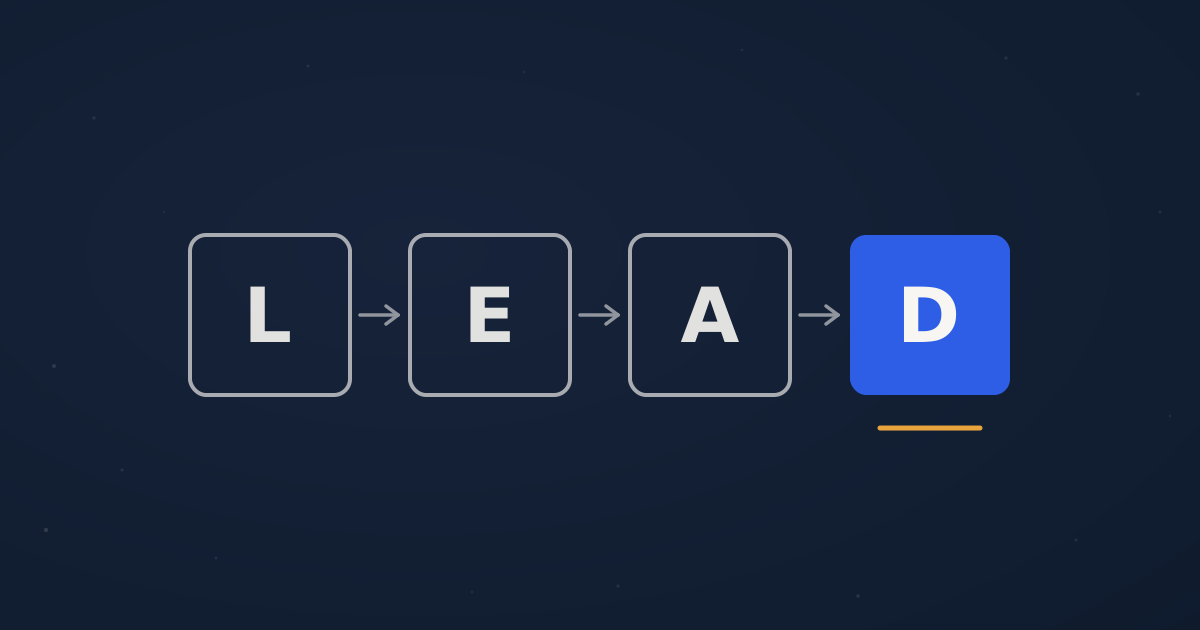
The LEAD System is a four-phase work method: Lighten, Evaluate, Assign, Digitize. Here is what each phase does, and how Optimate runs the method for you.